
Custom Lists
Custom lists help you organize your books beyond the basic Reading/Completed/To Read statuses.
Premium Feature
Custom lists are available to Premium subscribers. Free users can view public lists created by others.
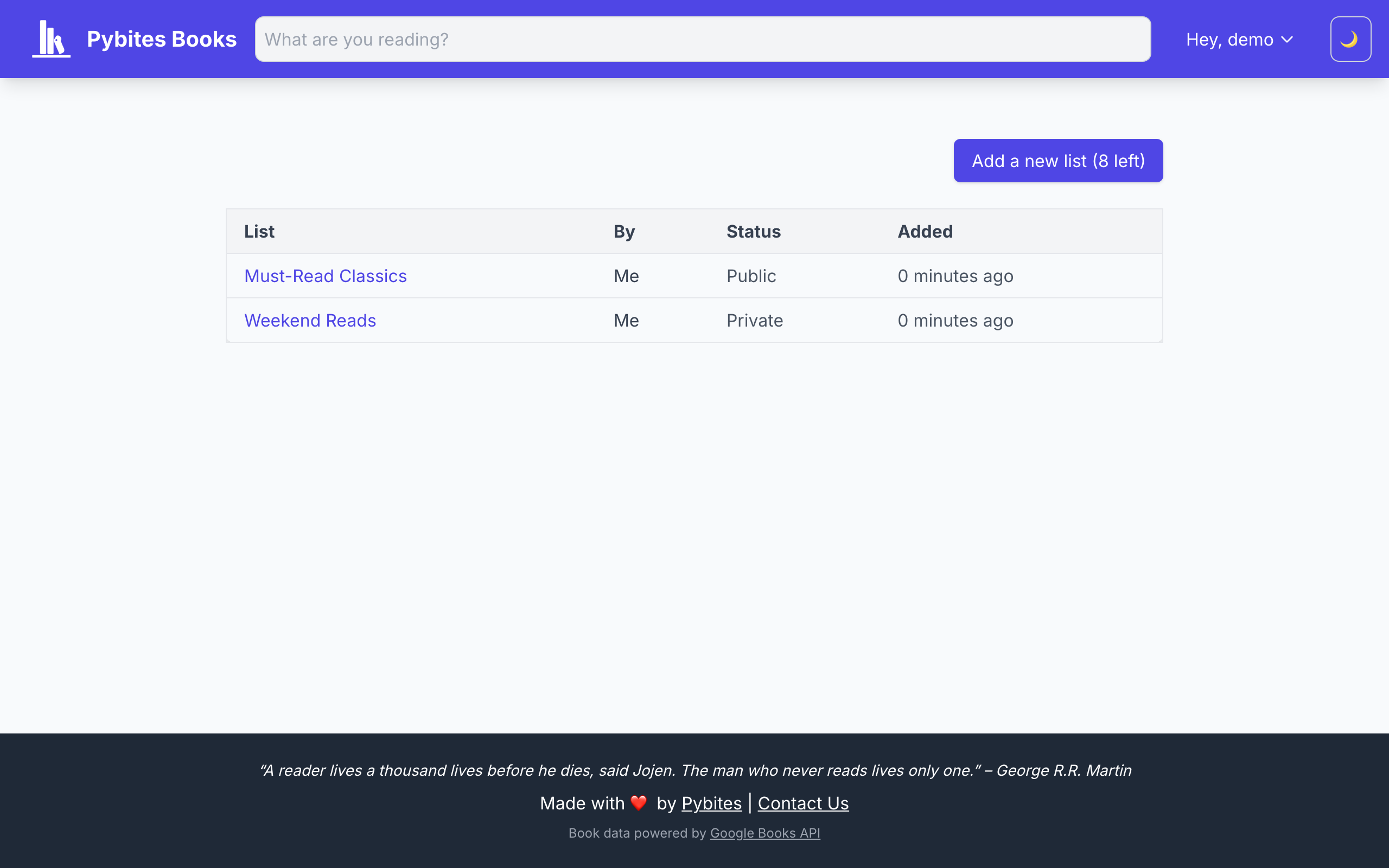
Creating Lists
- Go to the Lists page from the navigation
- Click Create New List
- Give your list a name (e.g., "Fiction 2024", "Book Club", "Self-Improvement")
- Choose whether to make it public or private
Adding Books to Lists
When updating a book's status, you'll see an option to add it to one or more lists. Books can belong to multiple lists.
You can also add books to lists from the book detail page.
Managing Lists
Edit a List
- Change the name
- Toggle public/private visibility
- Deactivate a list (keeps the data but hides it)
Delete a List
Deleting a list removes it permanently. Books in the list are not affected—they remain in your collection.
Public Lists
When you make a list public:
- Other users can view it from your profile
- It appears in the public lists directory
- The books and your progress are visible
Private lists are only visible to you.
List Limits
| Account Type | Active Lists |
|---|---|
| Free | 0 |
| Premium | 10 |
Inactive lists don't count toward your limit.